|
 |
|||||
 |
 |
 |
|
|||
 |
 |
|
||||
 |
|
|||||
 |
|
|||||
 |
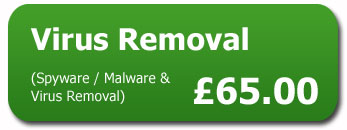
If your computer is infected by a virus there are many methods of removal. The method used will depend on the nature of the virus or security breech, and on the complexity of the virus. With over 90,000 viruses in the world, removal techniques differ from one to another.
Virus removal without format £45.00 (simple viruses). What to be aware of when having a hard drive formatted. Once a hard drive is formatted the entire content of the drive will be erased. Entire content means everything on your computer memory, example: all documents, pictures, music, programs, games, internet connections, emails, address book, user customisation etc. If your computer is being formatted you will be asked if you are aware that all data will be erased from the hard drive, failure to specify that you have data that you wish to save will resort in permanent loss of data. You must specify the exact data you wish to be backed up. If you are unable to specify or are unsure of what files you wish to be backed up, then a new hard drive will need to be purchased. Reinstallation of the Windows Operating System will be carried out by us, and also all available drivers for motherboard, audio, graphic, Ethernet, wifi. We will connect you back onto your broadband, install commonly used applications such as power DVD, flash player, adobe reader and the Office package that includes Word, Excel, PowerPoint. Licence for this software will be required. If you are not confident installing a security package we can supply and install this too. |
|
||||
 |
|
|||||
 |
|
|||||
 |
|
|||||
 |
|
|||||
 |
|
|||||
 |
|
|||||
 |
|
|||||
 |
|
|||||
FAQ:What will I have to install? Printer and scanner tend to be the most common. Applications such as iTunes or skype can be downloaded from software manufacturer’s website. These are unique to each individual and depends on what your computer is used for. These are relatively easy for the end user, and most people are confident in doing this. However if you are not comfortable in doing this, please let our engineer know. A small charge may apply. |
|
|||||
|
|
|
|
|
|
|
|